What to check when Radiant Optimizer browser games will not load
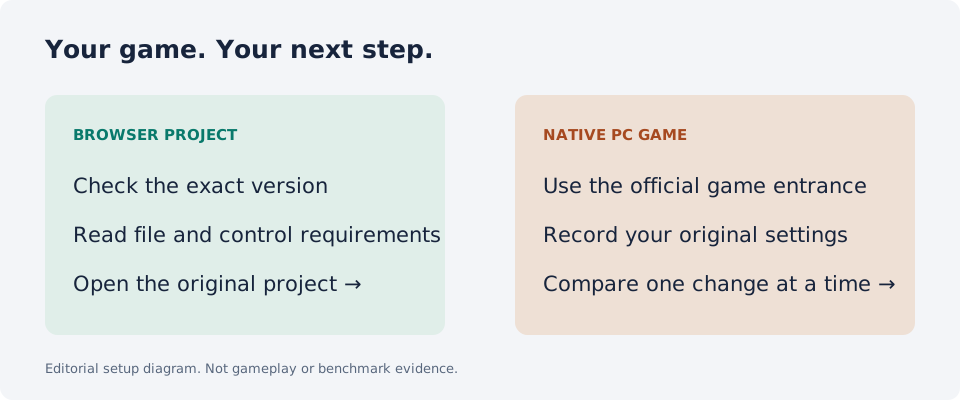
First identify the stage that stops: opening the page, loading game data, using the controls or joining a server. Open the original project in a full browser tab and read its current requirements. Preserve important saves before clearing browser data.
These games run on different project sites. The Windows optimizer is a separate product; an optimizer purchase is not a prerequisite imposed by this directory and does not supply missing game files. The checks below help describe a problem. They are not proof of an outage or a tested fix.
The project page does not open
Confirm the exact project address from its guide. Similar names can lead to different destinations: QuakeWorld uses q1.pieter.com, while Quake III uses q3.pieter.com. A friend sending only “Quake” may mean a different project.
Write down the address and any visible error. A page that cannot be fetched by one tool may still behave differently in a normal browser; do not turn a single failed request into a claim that the game is down for everyone. Check the project’s own current notices before choosing another link.
The page opens but asks for files
Read the setup group before retrying. Halo CE Mobile, the Skate fan project and WebXash describe player-supplied data in our October 10 source records. That is a distinct requirement from having a browser that can display the page.
Diablo Web’s current repository describes two routes: a limited shareware demo and a full-game route using your own DIABDAT.MPQ. Select the route that matches what you have. This directory does not provide retail game archives or a conversion service.
A map or game-data load does not finish
Note whether the progress changes, which map was selected and whether a Retry control appears. Follow the live host’s instructions rather than repeatedly switching settings without recording them.
RTCW’s current host describes a substantial first asset load and recommends desktop Chrome. A long first download is different from a missing page. We have not measured the download, joined a server or established a timeout threshold that applies to every connection.
The game appears but the controls do not respond
For Surfd, the current source says to select Play for mouse capture. Read its desktop keyboard and mouse controls, and use its menu to inspect bindings. This is source-based guidance rather than a completed surfing test.
On a phone, look for documented touch or controller input before assuming the desktop controls will work. Quake III advertises mobile and gamepad support. Surfd describes desktop input. Use the mobile guide to compare those requirements instead of treating all browser entries as equivalent.
A menu loads but joining a game fails
Confirm that you and your friend are opening the same project and choosing the same documented mode. A reachable menu proves only that the page is available; it does not establish a successful multiplayer connection or server capacity.
Record whether the failure happens before joining, while connecting or after entering a session. Keep that description separate from a performance complaint such as stutter. Use the external host’s current instructions; our directory does not operate its servers.
Preserve progress and make the next attempt useful
Before clearing browser storage, look for the project’s save export or transfer tools. Diablo Web documents browser-local saves and import/export routes. A reload, a new browser and deleting stored data are different actions with different consequences.
For Radiant Optimizer browser games not loading, the most useful next attempt changes one relevant condition and records the outcome. Keep the project URL, browser, device, selected mode and exact failure stage. If you simply want another game, return to the directory and choose an entry with requirements that fit your setup.
Good questions. Clear answers.
Do I need Radiant Optimizer to fix a browser game?
The browser projects have their own requirements. This directory does not require buying or installing the Windows optimizer, and it does not establish that the optimizer fixes project loading.
Why does CS Surf load but the mouse does not work?
Surfd’s source says to select Play to capture the mouse. Read its current desktop controls if input still fails.
Should I clear browser data first?
Preserve saves and read the project’s recovery instructions before clearing storage. Local progress may need an export or transfer route.
Does a readable page mean multiplayer is working?
No. Page access, game-data loading and joining a multiplayer session are separate checks. This directory has not completed multiplayer tests.
Sources and review
Source review: . Gameplay and performance are not tested by this directory.