Which Radiant Optimizer browser games support mobile?
Our directory has five projects with documented phone or touch support: Quake III Arena, Halo CE Mobile, PES 6 Web Online, 2048 and Sandtris. This means their sources describe an input or mobile route. We have not completed phone gameplay tests or measured frame rates.
The first three are Shared list entries associated with our historical Radiant account mirror. 2048 and Sandtris are separate Browser discoveries. Phone support does not imply that Radiant published the project, that every phone can run it, or that all original game content is included.
Compare the phone projects before opening a link
Quake III: the current q3.pieter.com page advertises mobile and gamepad support. It is a specific unofficial multiplayer project. Use its player-name and Play prompts; do not assume it shares a lobby with QuakeWorld or Quake II.
Halo CE Mobile: our October 10 source record describes touch, controller and keyboard controls, with your own Xbox Halo CE image required for the standard setup. A fresh source read failed in this review, so these requirements remain historical documentation. Follow the live host for changes.
PES 6 Web Online: the current host describes the PSP edition running in a browser with touch controls and gamepad options. Check the project’s browser and graphics guidance before expecting desktop-like performance. Its online claims are not a verified multiplayer result from this directory.
2048: the creator repository records mobile swipe handling. The play page requires JavaScript. It is an additional discovery rather than a Radiant-shared entry.
Sandtris: the live project states mobile availability. Read its current controls, then check whether the game responds on your device. It is also an additional discovery; its phone claim is not our playtest.
Mobile support and game-file requirements are separate
A touch layout describes how you control a project. It does not supply the game data needed to start. Check the Setup label on the individual guide before moving a large file to your phone or expecting an immediate session.
Halo CE Mobile belongs to the Own game files group in our records. The Diablo Web guide separates its limited shareware demo from the retail-data route and records limitations around touch controls. We do not treat Diablo as one of the five documented mobile entries above.
Check the actual input on your phone
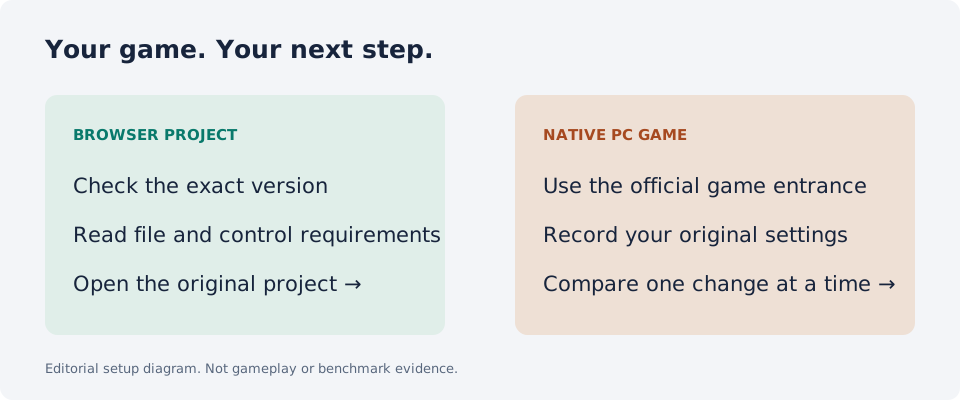
Open the original project in a full browser tab and read its controls before starting. Look for the project’s touch layout or documented controller route. A page can load even when the controls needed for its game are unavailable.
If an entry describes keyboard and mouse, choose a computer with those inputs rather than assuming a touchscreen substitutes for them. Surfd’s current page specifies desktop keyboard and mouse. Return to the directory’s documented-phone filter when you need another destination.
Keep saves before switching browser or device
Treat a new phone, browser or profile as a different environment until the project documents a transfer method. Do not clear site data merely because a game stalls. Read the project’s save or export instructions first.
For a project with player-supplied files, keep the original files outside the browser as well. This directory does not receive your game data or account credentials; the external host controls its own import, accounts and saved progress.
Choose a mobile route by its requirements
For Radiant Optimizer browser games on mobile, start with documented input and setup requirements, then check the current project on your device. Use a Browser entry when you want to inspect a launch route; inspect Own game files instructions before importing data.
A browser-game directory helps you choose the right link. It does not establish device compatibility or guarantee a completed session. If the page, data, input or connection stage fails, use the loading guide linked below to describe the problem accurately.
Good questions. Clear answers.
Are all Radiant browser games playable on iPhone or Android?
No. Five entries have source-documented mobile or touch support in this directory. Successful gameplay on a particular phone is unverified.
Does Halo CE Mobile include the game files?
Our October 10 source record says the standard setup requires the player’s own Xbox Halo CE image. The current host could not be freshly read during this review.
Can I play CS Surf with touch controls?
Surfd’s current page specifies desktop keyboard and mouse. Touch gameplay is not established by our source check.
Are 2048 and Sandtris from Radiant’s shared list?
They are separately labeled Browser discoveries selected by this directory. They are not claimed to be shared by Radiant.
Sources and review
Source review: . Gameplay and performance are not tested by this directory.
- Quake III current mobile-support statement (opens a new tab)
- PES 6 project controls and FAQ (opens a new tab)
- 2048 creator repository and swipe credits (opens a new tab)
- Sandtris current mobile statement (opens a new tab)
- Surfd desktop input requirement (opens a new tab)
- Halo CE Mobile — historical October 10 review; fresh read unavailable (opens a new tab)